


1 in 4
Europeans has been a victim of online fraud. (FRA, 2026)


Stay safe online: experience the tricks before they happen to you. Fake emails, WhatsApp scams, phone calls from someone pretending to be your bank: online fraud is now part of daily life. In this VR experience you face these situations yourself in a safe virtual world, make your own choices and immediately see what happens.
Who is it for?
Experience
Specs

Our Cybersecurity VR training was built for the workplace, but the threats it covers are the same ones people face at home, on their phone and on the go:

One leaked password is enough for someone to take over your account. In VR you see what happens when a password is reused, and you learn how to make a strong passphrase you can actually remember. You also look for risks on a desk, like a password on a sticky note.

You set up two-step verification and get to know passkeys. Then a login request pops up that you did not ask for. Do you approve it or deny it?
Your parcel cannot be delivered, just pay €0.79. Sound familiar? You sort an inbox full of emails: which ones are real and which ones are phishing? You learn to spot fake web addresses and the psychological tricks scammers use, like urgency and authority.

A photo of your new job on LinkedIn seems harmless. But scammers use exactly that kind of information to approach you as if they were a colleague or someone you know. You see how a profile is built up step by step.

You get a call from an unknown number. Someone pretends to be a person you trust and asks for your details. You practise how to respond safely, and discover how the caller got your information.

You are working in a café and need to go to the toilet. What do you do with your laptop? You also experience the difference between HTTP and HTTPS, what a VPN does on public Wi-Fi, and why not every USB charging point is safe.

You clicked the wrong link and your computer is infected. You practise the right steps: disconnect the device, report it and reset your passwords. Because acting fast limits the damage.

You end up in a realistic situation and have to decide what to do.

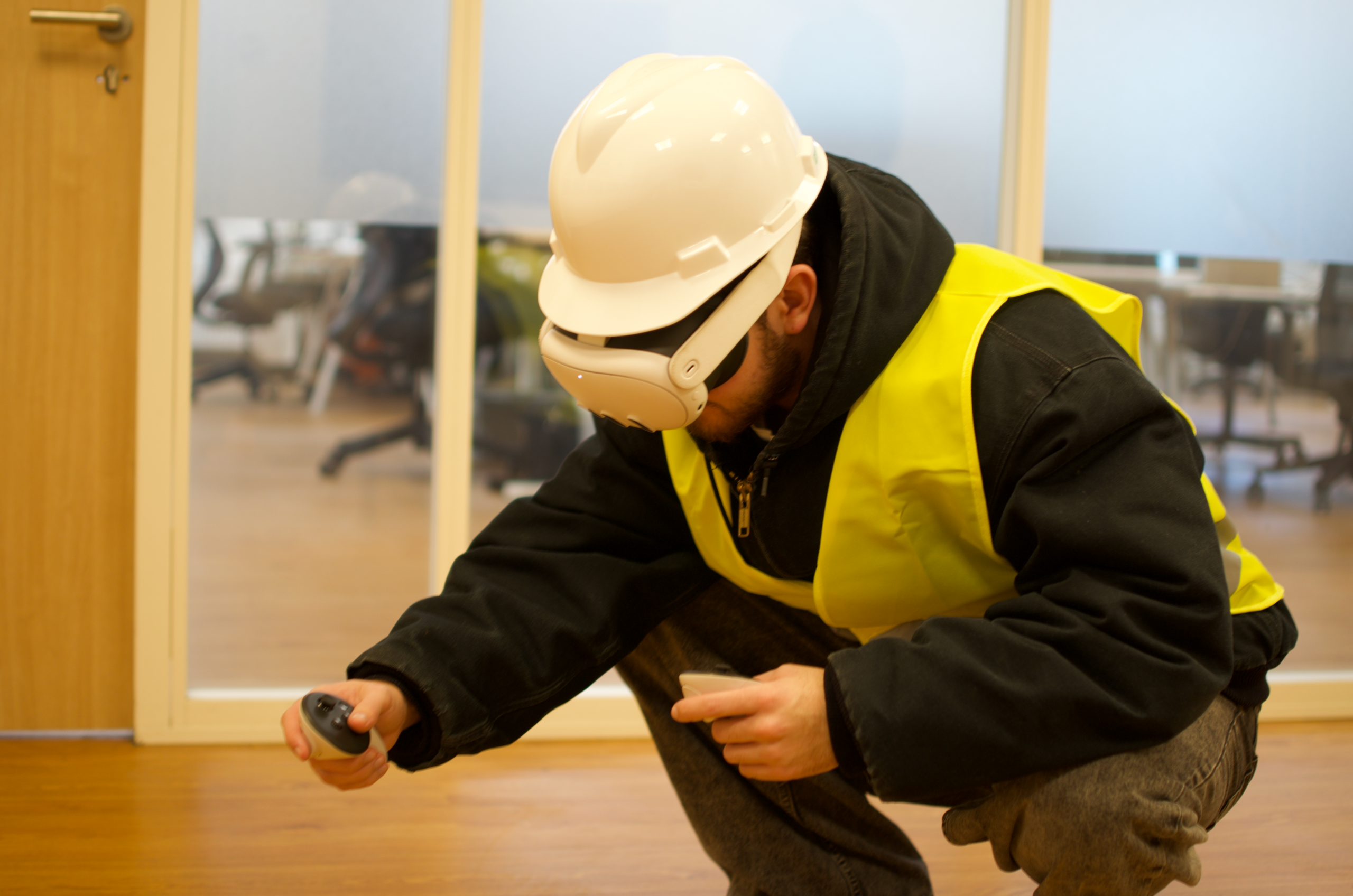
You choose an answer or perform the action yourself, with your own hands.

You immediately see the consequences of your choice, and why the right approach works.

We come on location with the VR headsets and set everything up. Our event supporter helps every participant put on the headset and guides them through the experience. One session takes 15 to 30 minutes, so many people can take part in a single day.
All you need to arrange is a room with enough space to move around and power sockets for the headsets.
Plan a safety day
Try the experience yourself and see what it would look like at your event or location.

Together we choose the date, the number of headsets and a schedule that fits your audience.

We arrive with the headsets, set everything up and guide your participants through the day.
Try it first at our Experience Center, book a safety day for residents or an event, or train your employees continuously with the Cybersecurity (NIS2) module.
Free
Best for
Trying it first
Duration
One visit
Content
Personalised demo
Hardware
Available at our location
Support
Guided by our team
Results per person
Not included

Price on request
Best for
Residents, events and open days
Duration
On location, per day
Content
Digital Safety experience
Hardware
Headsets included
Support
Event supporter on site
Results per person
Not included

Price on request
Best for
Employee awareness and NIS2
Duration
Lifetime license
Content
Cybersecurity (NIS2) module
Hardware
Quest 3 or Pico 4 Ultra
Support
Onboarding and set-up
Results per person
Analytics and LMS


We have received your request and will get back to you shortly. Stay tuned!
No. The training was developed for organisations, but it is set up so that people without any experience on the topic can follow it. The situations, like phishing, fake calls and weak passwords, apply just as much at home.
Between 15 and 30 minutes, depending on the pace and choices of the participant.
Dutch, English and German, including voice-over.
Yes. For safety days and events we come on location with headsets and guidance. Contact us for the possibilities and a price indication.
A room with enough space to move around and power sockets for the headsets. We take care of everything else.
Yes. Texts, questions, environment and branding can be adapted to your organisation or audience.